
BETA

AI-powered surf camera in your iPhone that shoots, tracks and helps you to ride better

Download Surflens and start auto-recording your waves.

S

R

E

F

R

U

S

Y

B

,

S

R

E

F

R

U

S

R

O

F

E

D

A

M

Made for Surfers,

by Surfers.

Catch your wave. Surfens catch you.

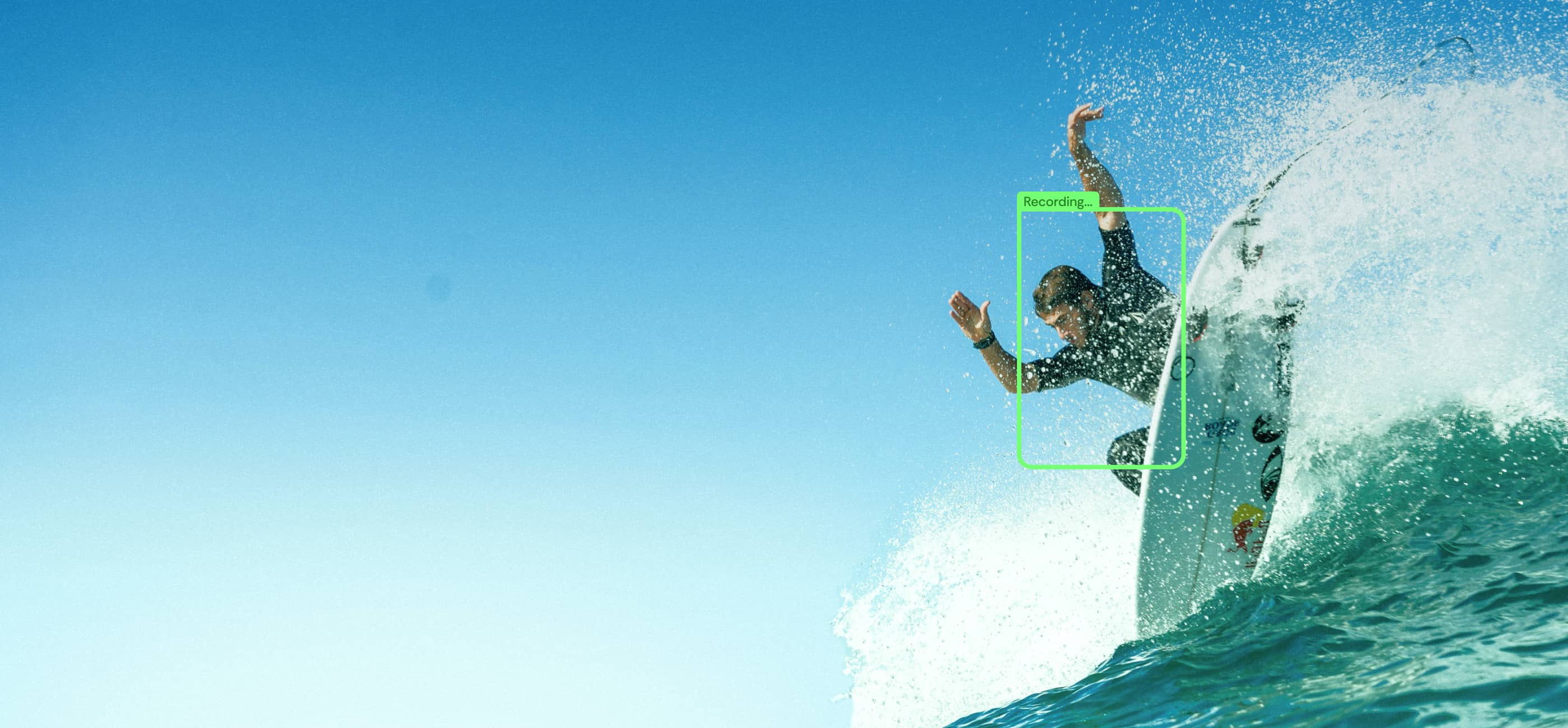
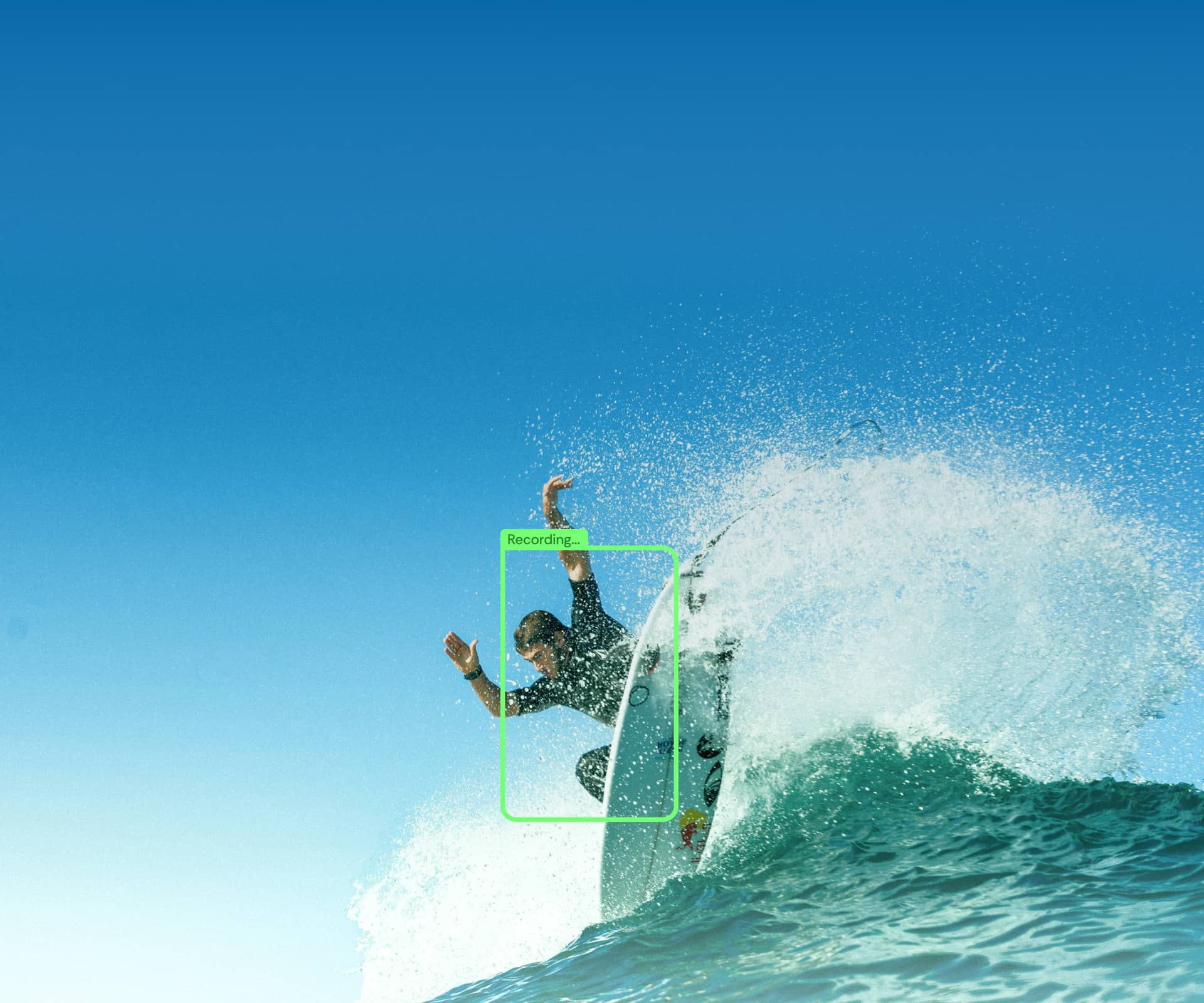
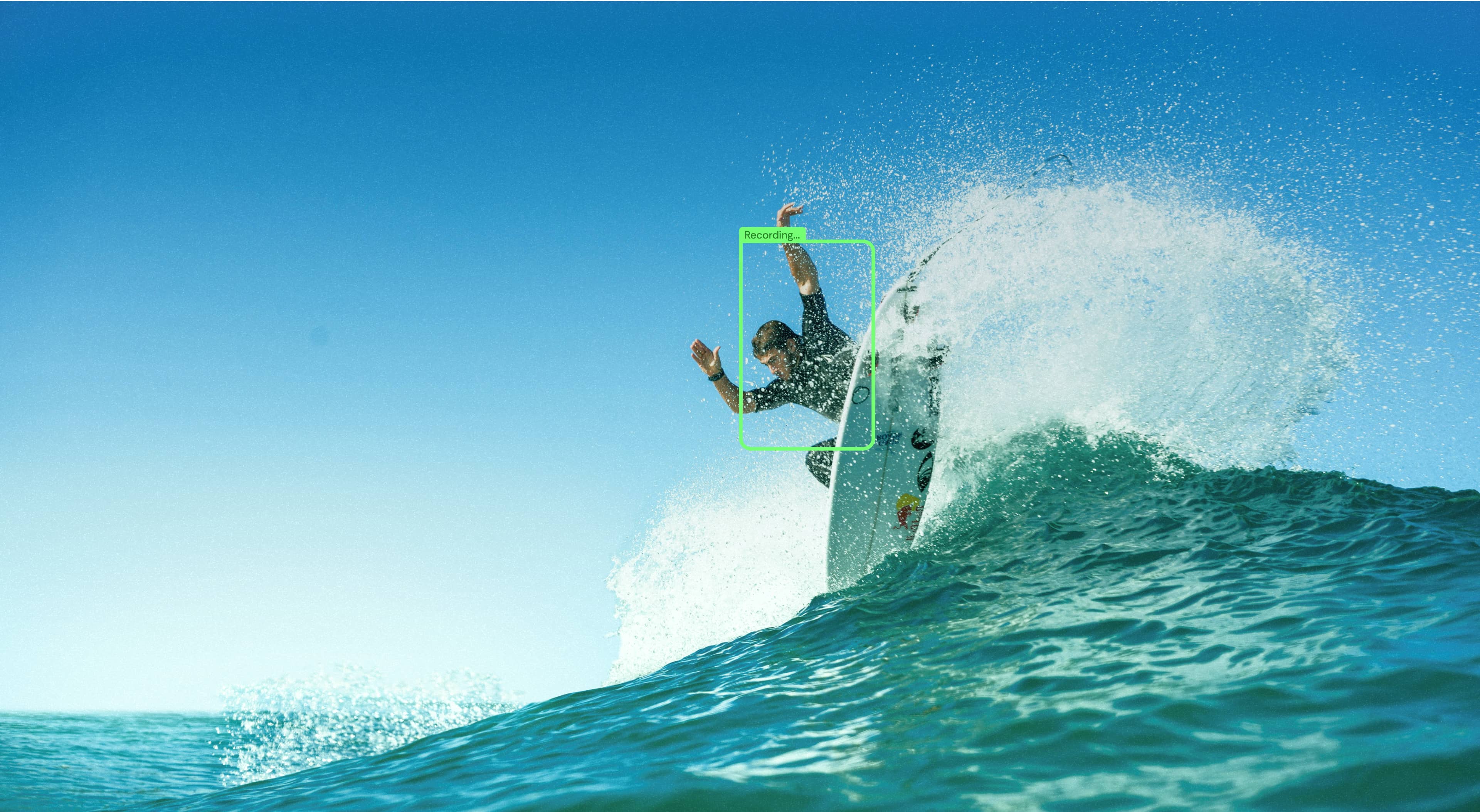
The Surflens app turns a phone on the beach into an intelligent surf camera. The result is hands-free, ready-to-share clips of your waves.

How It Works

Your camera on the shore. Your control on the wave.

Watch the video

Smart auto-filming for every wave.

Ready-to-share surf clips.

Your waves are automatically saved to your profile. Clips are processed instantly — enhanced, cropped, and ready to share. No internet required.

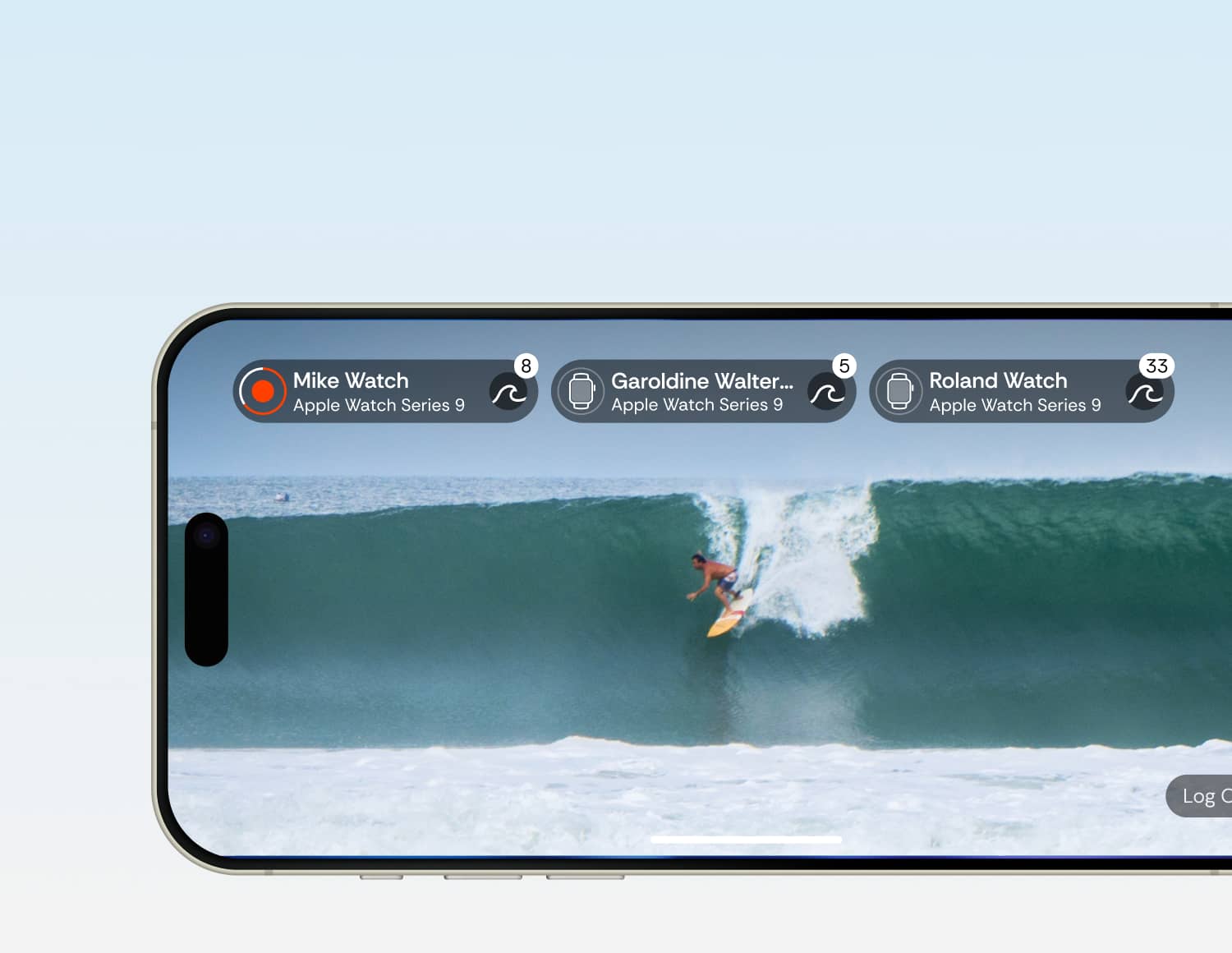
Surflens starts a record when a surfer catches a wave

The camera zooms in and keeps you in the frame

Surflens automatically crops your video into a ready-to-share clip

See Surflens in action

1

AI Auto-Filming Mode

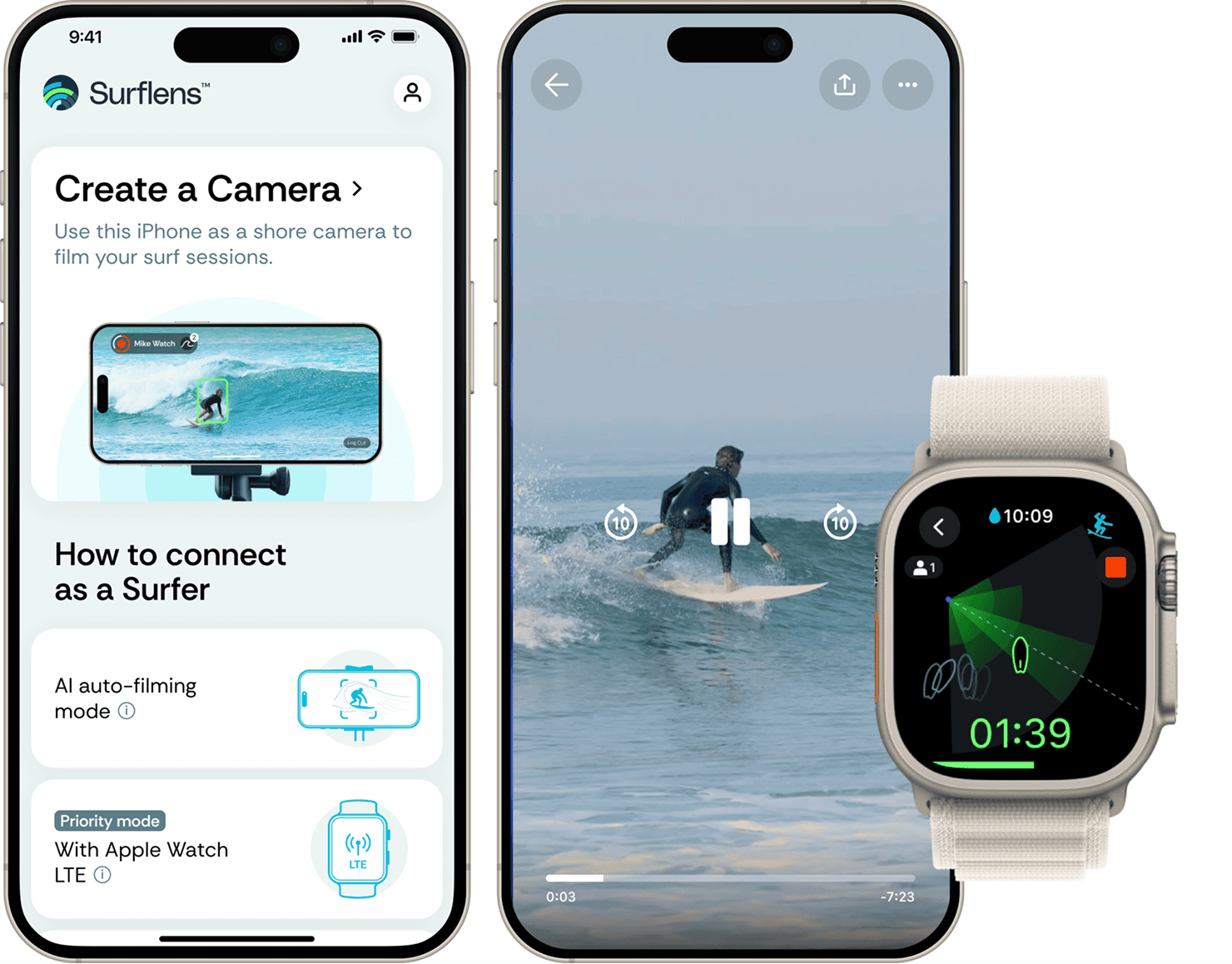
AI detects when surfers catch a wave and automatically records the ride.

Set your phone on the beach and the AI-powered camera will detect and record every surfer riding a wave within its view.

ⓘ Before going into the water, make sure your phone is safe on the shore and someone is looking after it.

2

+ Apple Watch LTE

Need more control? Add your LTE watch on the wave.

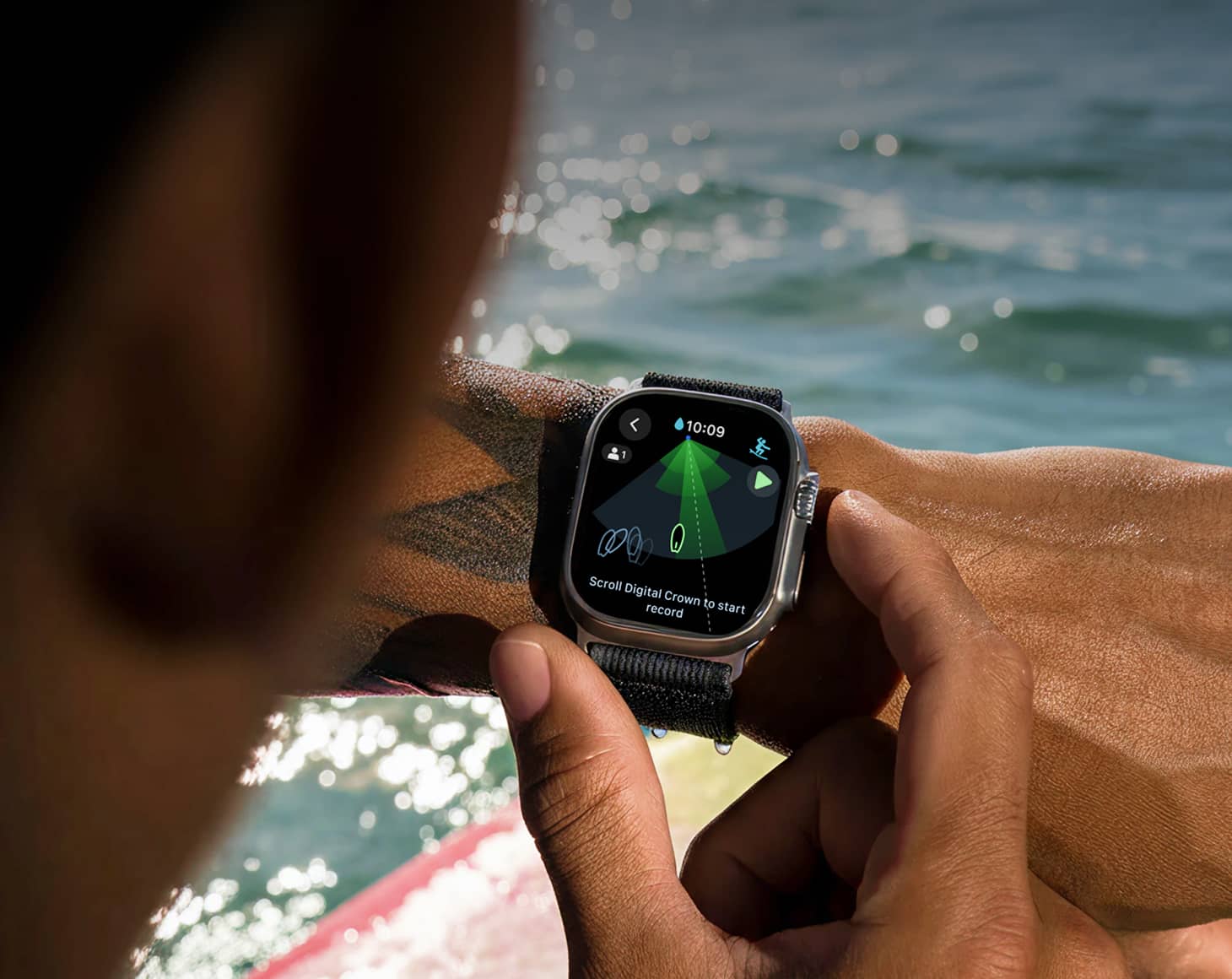
Control the camera right from your wrist and see exactly where the lens is pointing. Apple Watch users get priority when recording waves.

3

+ Apple Watch + 2nd iPhone

No LTE? Use the 2nd iPhone on the water for the connection

Just take a second iPhone in a waterproof case — it connects seamlessly and keeps your watch linked to the shore camera.

Apple Watch App

Designed for surfers

in the water

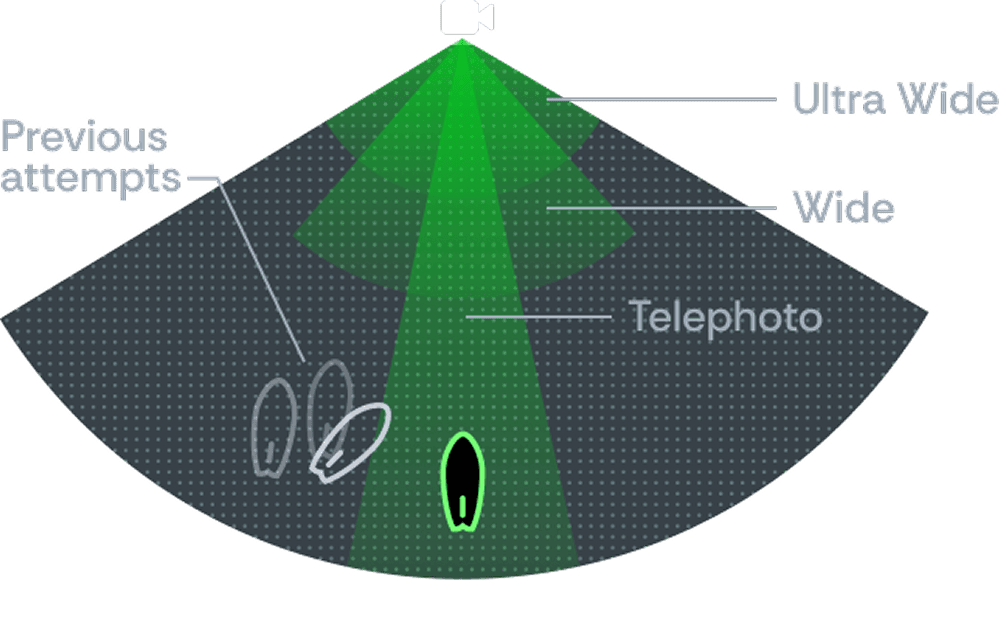
Stay in the frame. See your previous starts.

Start or stop recording scrolling Digital Crown or gesture

Stay in control on your wrist

Designed for Water

Lock mode

Analyze your takeoff position on the wave

Optimized for

battery Life

Multi-Camera & Shared Sessions

Surflens allows surfers to create multi-angle footage and add friends to the current session.

Connect multiple iPhones to the beach to capture the waves from different angles.

Friends can join the same camera and record their own rides

S

R

E

F

R

U

S

Y

B

,

S

R

E

F

R

U

S

R

O

F

E

D

A

M

Made for Surfers, by Surfers.

Because surfing your heart out is easy. Filming it? Not so much.

Surfers can’t reliably capture their rides unless someone’s on the beach filming them. Action cameras don’t show you from the side, and public surf cams aren’t available at most spots.


So I kept thinking: what if a phone was enough? Modern phones have great zoom, solid optics, and they’re always with you.


I’ve spent 17+ years in IT and marketing and founded a computer vision company. And I’m also a surfer. So combining surf and technology felt like a natural idea to explore.


That’s how Surflens started.

Let’s build the future of surf filming together.

Serge Gale

CEO / Founder

Meet our team

Join the Surflens Tribe

Surflens is a global community of wave chasers. We’re looking for passionate surfers to help shape the future of surf filmmaking. If you like our vision, contact us and get the information about our ambassador program.

Join Us

FAQ

Discover the answers to the most frequently asked questions.

Does this replace a filmer?

How does it work?

Why use a watch? Can’t I just leave a camera on the beach?

How do I connect LTE Watch or a regular Watch with a second iPhone?

How do I know the camera sees me?

Why does recording sometimes start with a delay?

What if the connection drops or internet is weak?

How do I get my videos after the session?

Is it safe to leave my phone on the beach?

Does it work with Apple Watch without LTE?

Do I need a server or internet?

Is there an Android version coming?

How do I become a Surflens ambassador?

Download

Surflens now

Download Surflens and start auto-recording your waves.

Follow us to stay updated

© Surflens, 2026. Ride smarter. Learn faster.

BETA

AI-powered surf camera in your iPhone that shoots, tracks and helps you to ride better

Download Surflens and start auto-recording your waves.

S

R

E

F

R

U

S

Y

B

,

S

R

E

F

R

U

S

R

O

F

E

D

A

M

Made for Surfers,

by Surfers.

Catch your wave. Surfens catch you.

The Surflens app turns a phone on the beach into an intelligent surf camera. The result is hands-free, ready-to-share clips of your waves.

How It Works

Your camera on the shore. Your control on the wave.

Watch the video

Smart auto-filming for every wave.

Ready-to-share surf clips.

Your waves are automatically saved to your profile. Clips are processed instantly — enhanced, cropped, and ready to share. No internet required.
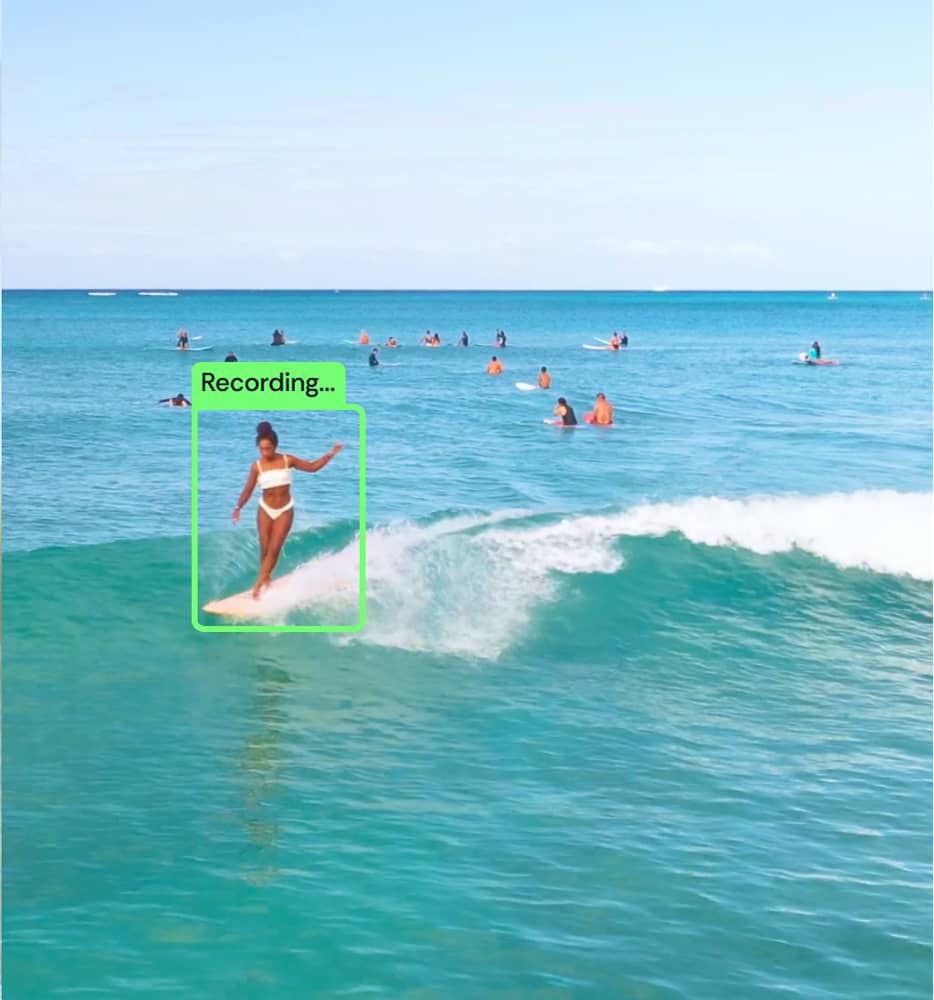
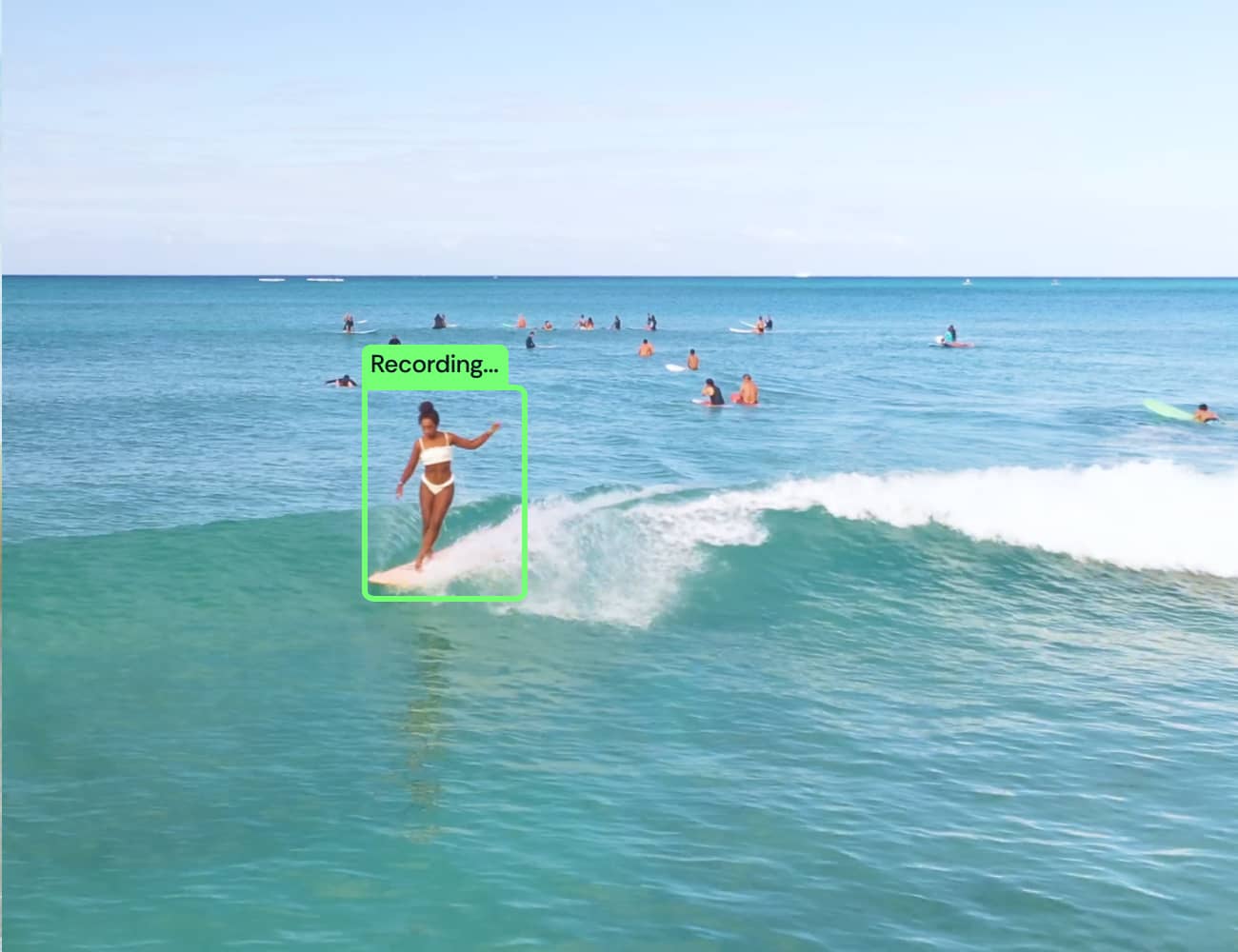
Surflens starts a record when a surfer catches a wave
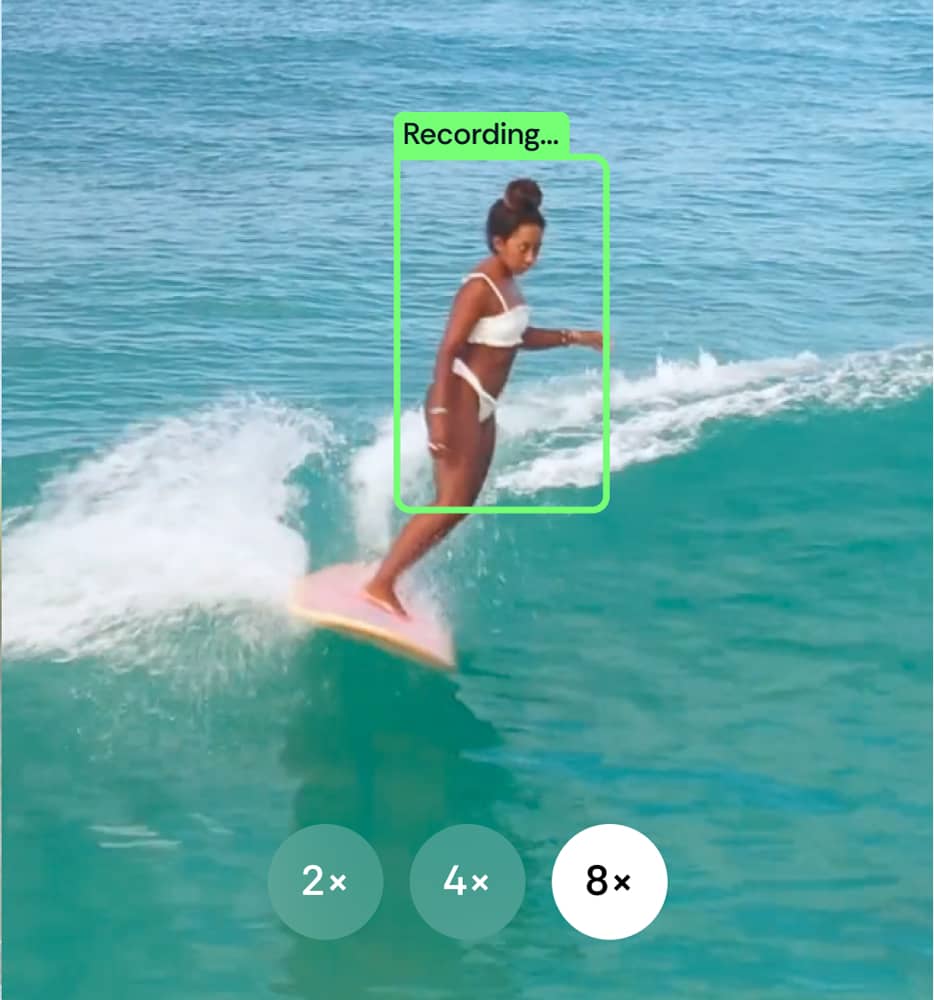
The camera zooms in and keeps you in the frame

Surflens automatically crops your video into a ready-to-share clip

See Surflens in action

1

AI Auto-Filming Mode

AI detects when surfers catch a wave and automatically records the ride.

Set your phone on the beach and the AI-powered camera will detect and record every surfer riding a wave within its view.

ⓘ Before going into the water, make sure your phone is safe on the shore and someone is looking after it.

2

+ Apple Watch LTE

Need more control? Add your LTE watch on the wave.

Control the camera right from your wrist and see exactly where the lens is pointing. Apple Watch users get priority when recording waves.

3

+ Apple Watch + 2nd iPhone

No LTE? Use the 2nd iPhone on the water for the connection

Just take a second iPhone in a waterproof case — it connects seamlessly and keeps your watch linked to the shore camera.

Apple Watch App

Designed for surfers

in the water

Stay in the frame. See your previous starts.

Just catch a wave to start auto-recording or scroll the Digital Crown to record manually

Stay in control on your wrist

Designed for Water

Lock mode

Analyze your takeoff position on the wave

Optimized for

battery Life

Multi-Camera &

Shared Sessions

Surflens allows surfers to create multi-angle footage and add friends to the current session.

Connect multiple iPhones to the beach to capture the waves from different angles.

Friends can join the same camera and record their own rides

S

R

E

F

R

U

S

Y

B

,

S

R

E

F

R

U

S

R

O

F

E

D

A

M

Made for Surfers, by Surfers.

Because surfing your heart out is easy. Filming it? Not so much.

Surfers can’t reliably capture their rides unless someone’s on the beach filming them. Action cameras don’t show you from the side, and public surf cams aren’t available at most spots.


So I kept thinking: what if a phone was enough? Modern phones have great zoom, solid optics, and they’re always with you.

I’ve spent 17+ years in IT and marketing and founded a computer vision company. And I’m also a surfer. So combining surf and technology felt like a natural idea to explore.


That’s how Surflens started.

Let’s build the future of surf filming together.

Serge Gale

CEO / Founder

Meet our team

Join the Surflens Tribe

Surflens is a global community of wave chasers. We’re looking for passionate surfers to help shape the future of surf filmmaking. If you like our vision, contact us and get the information about our ambassador program.

Join Us

FAQ

Discover the answers to the most frequently asked questions.

Does this replace a filmer?

How does it work?

Why use a watch? Can’t I just leave a camera on the beach?

How do I connect LTE Watch or a regular Watch with a second iPhone?

How do I know the camera sees me?

Why does recording sometimes start with a delay?

What if the connection drops or internet is weak?

How do I get my videos after the session?

Is it safe to leave my phone on the beach?

Does it work with Apple Watch without LTE?

Do I need a server or internet?

Is there an Android version coming?

How do I become a Surflens ambassador?

Download Surflens now

Download Surflens and start auto-recording your waves.

Follow us to stay updated

© Surflens, 2026. Ride smarter. Learn faster.

BETA

MENU

AI-powered surf camera in your iPhone that shoots, tracks and helps you to ride better

Download Surflens and start auto-recording your waves.

S

R

E

F

R

U

S

Y

B

,

S

R

E

F

R

U

S

R

O

F

E

D

A

M

Made for Surfers,

by Surfers.

Catch your wave. Surfens catch you.

The Surflens app turns a phone on the beach into an intelligent surf camera. The result is hands-free, ready-to-share clips of your waves.

How It Works

Your camera on the shore. Your control on the wave.

Watch the video

Smart auto-filming for every wave.

Ready-to-share surf clips.

Your waves are automatically saved to your profile. Clips are processed instantly — enhanced, cropped, and ready to share. No internet required.

Surflens starts a record when a surfer catches a wave
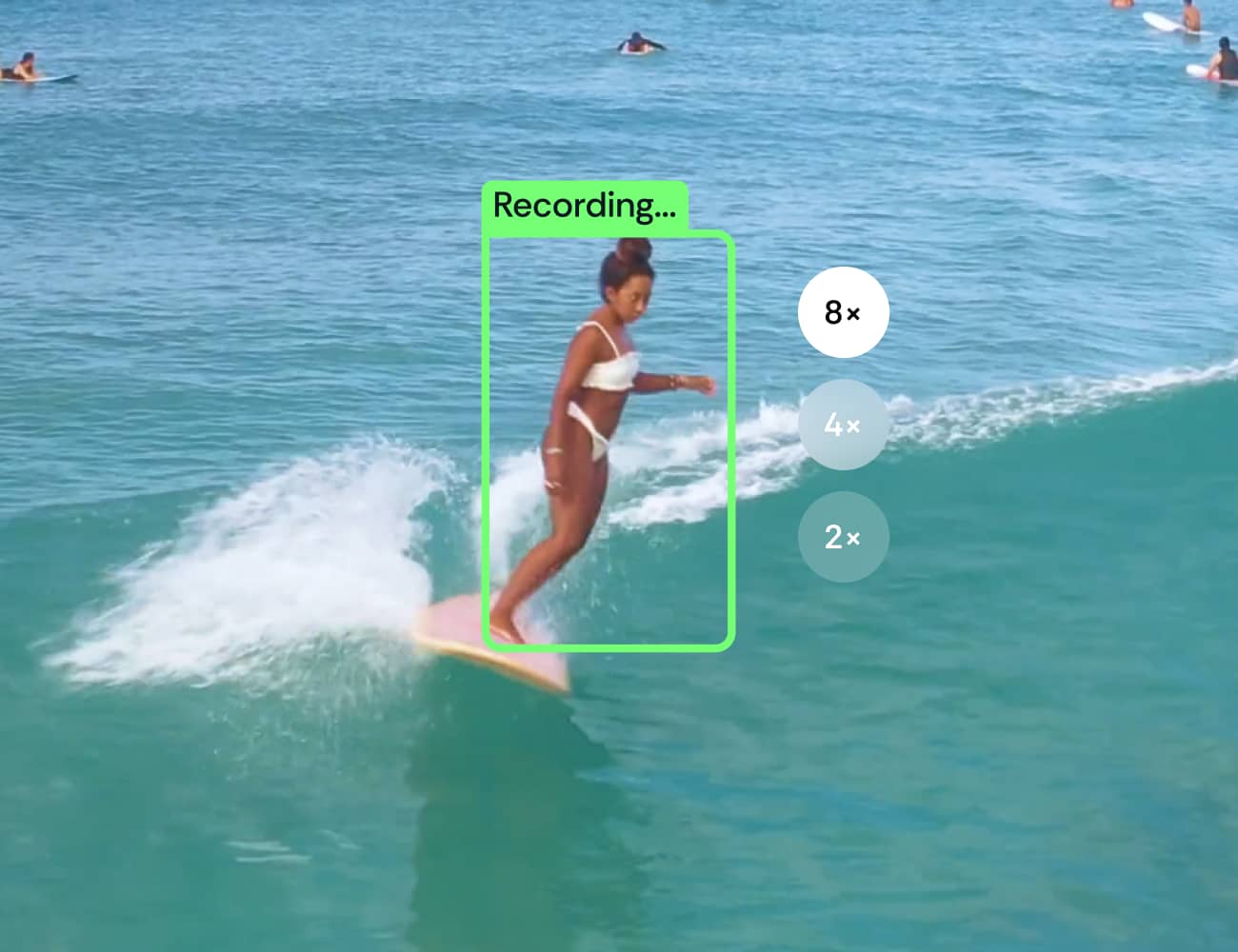
The camera zooms in and keeps you in the frame
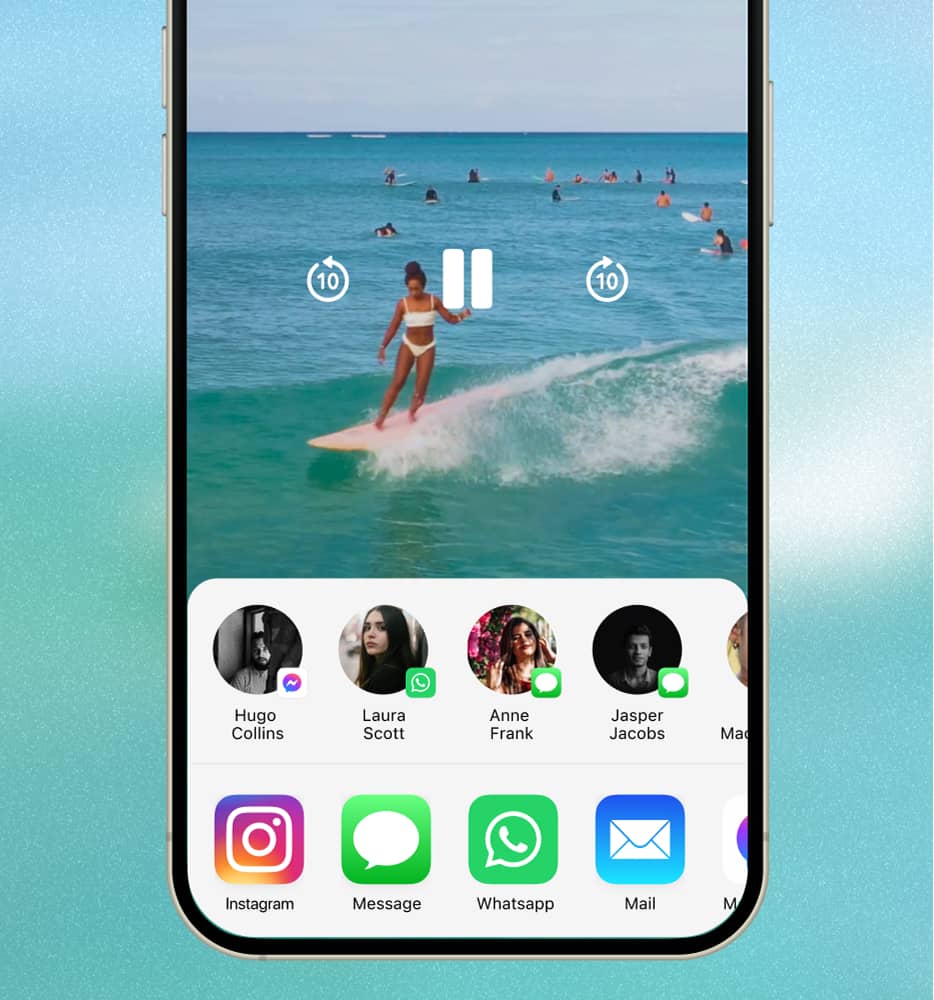
Surflens automatically crops your video into a ready-to-share clip

See Surflens in action

1

AI Auto-Filming Mode

AI detects when surfers catch a wave and automatically records the ride.

Set your phone on the beach and the AI-powered camera will detect and record every surfer riding a wave within its view.

ⓘ Before going into the water, make sure your phone is safe on the shore and someone is looking after it.

2

+ Apple Watch LTE

Need more control? Add your LTE watch on the wave.

Control the camera right from your wrist and see exactly where the lens is pointing. Apple Watch users get priority when recording waves.

3

+ Apple Watch + 2nd iPhone

No LTE? Use the 2nd iPhone on the water for the connection

Just take a second iPhone in a waterproof case — it connects seamlessly and keeps your watch linked to the shore camera.

Apple Watch App

Designed for surfers

in the water

Stay in the frame. See your previous starts.

Just catch a wave to start auto-recording or scroll the Digital Crown to record manually

Stay in control on your wrist

Designed for Water

Lock mode

Analyze your takeoff position on the wave

Optimized for

battery Life

Multi-Camera &

Shared Sessions

Surflens allows surfers to create multi-angle footage and add friends to the current session.

Connect multiple iPhones to the beach to capture the waves from different angles.

Friends can join the same camera and record their own rides

Made for Surfers, by Surfers.

S

R

E

F

R

U

S

Y

B

,

S

R

E

F

R

U

S

R

O

F

E

D

A

M

Because surfing your heart out is easy. Filming it? Not so much.

Surfers can’t reliably capture their rides unless someone’s on the beach filming them. Action cameras don’t show you from the side, and public surf cams aren’t available at most spots.


So I kept thinking: what if a phone was enough? Modern phones have great zoom, solid optics, and they’re always with you.


I’ve spent 17+ years in IT and marketing and founded a computer vision company. And I’m also a surfer. So combining surf and technology felt like a natural idea to explore.


That’s how Surflens started.

Let’s build the future of surf filming together.

Serge Gale

CEO / Founder

Meet our team

Join the Surflens Tribe

Surflens is a global community of wave chasers. We’re looking for passionate surfers to help shape the future of surf filmmaking. If you like our vision, contact us and get the information about our ambassador program.

Join Us

FAQ

Discover the answers to the most frequently asked questions.

Does this replace a filmer?

How does it work?

Why use a watch? Can’t I just leave a camera on the beach?

How do I connect LTE Watch or a regular Watch with a second iPhone?

How do I know the camera sees me?

Why does recording sometimes start with a delay?

What if the connection drops or internet is weak?

How do I get my videos after the session?

Is it safe to leave my phone on the beach?

Does it work with Apple Watch without LTE?

Do I need a server or internet?

Is there an Android version coming?

How do I become a Surflens ambassador?

Download Surflens now

Download Surflens and start auto-recording your waves.

© Surflens, 2026. Ride smarter. Learn faster.

Follow us to stay updated

BETA

MENU

AI-powered surf camera in your iPhone that shoots, tracks and helps you to ride better

Download Surflens and start auto-recording your waves.

S

R

E

F

R

U

S

Y

B

,

S

R

E

F

R

U

S

R

O

F

E

D

A

M

Made for Surfers,

by Surfers.

Catch your wave. Surfens catch you.

The Surflens app turns a phone on the beach into an intelligent surf camera. The result is hands-free, ready-to-share clips of your waves.

How It Works

Your camera on the shore. Your control on the wave.

Watch the video

Smart auto-filming for every wave.

Ready-to-share surf clips.

Your waves are automatically saved to your profile. Clips are processed instantly — enhanced, cropped, and ready to share. No internet required.

Surflens starts a record when a surfer catches a wave

The camera zooms in and keeps you in the frame
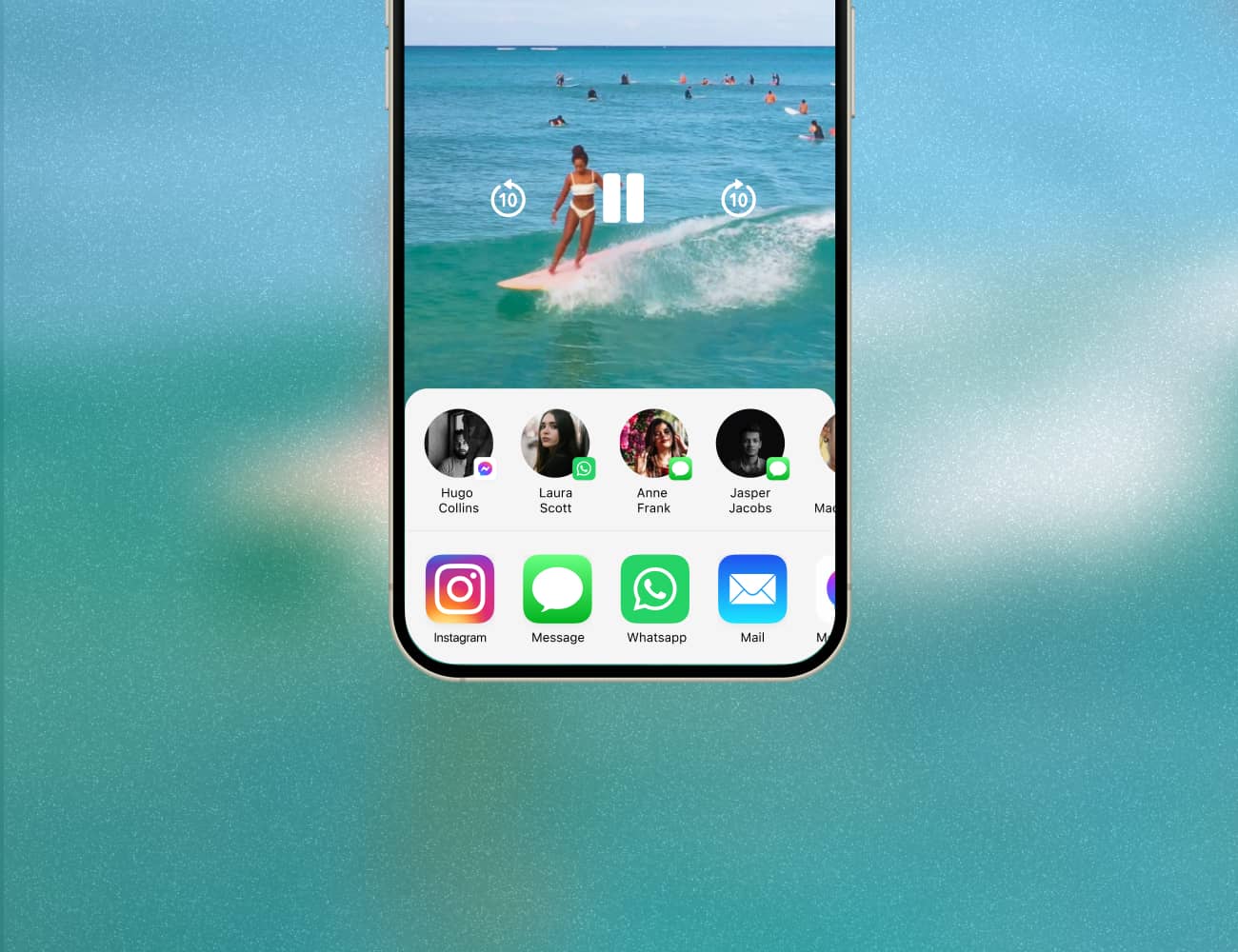
Surflens automatically crops your video into a ready-to-share clip

See Surflens in action

1

AI Auto-Filming Mode

AI detects when surfers catch a wave and automatically records the ride.

Set your phone on the beach and the AI-powered camera will detect and record every surfer riding a wave within its view.

ⓘ Before going into the water, make sure your phone is safe on the shore and someone is looking after it.

2

+ Apple Watch LTE

Need more control? Add your LTE watch on the wave.

Control the camera right from your wrist and see exactly where the lens is pointing. Apple Watch users get priority when recording waves.
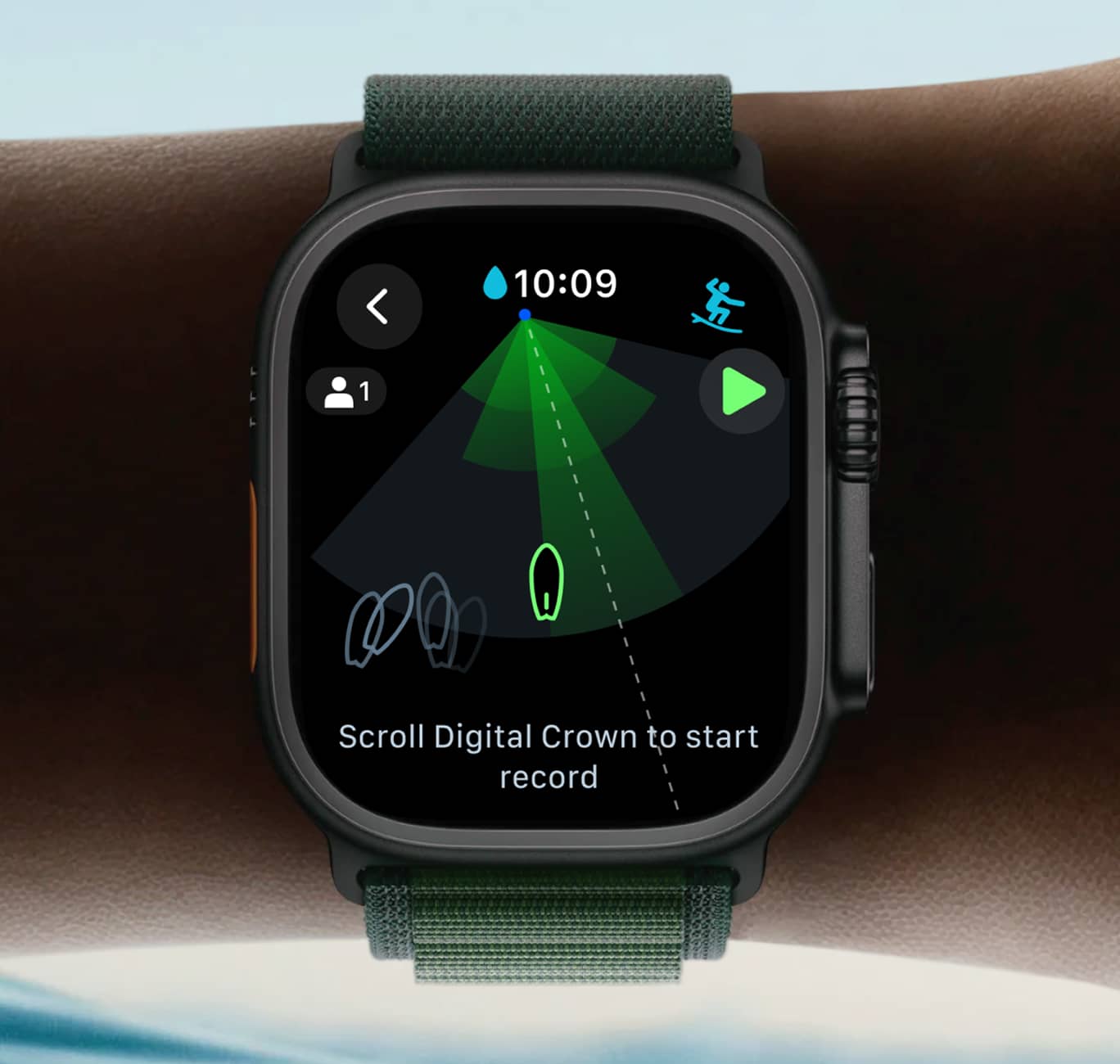
watch
iPhone + IPhone + Watch

3

+ Apple Watch + 2nd iPhone

No LTE? Use the 2nd iPhone on the water for the connection

Just take a second iPhone in a waterproof case — it connects seamlessly and keeps your watch linked to the shore camera.

Apple Watch App

Designed for surfers

in the water

Stay in the frame. See your previous starts.

Just catch a wave to start auto-recording or scroll the Digital Crown to record manually

Stay in control on your wrist

Designed for Water

Lock mode

Analyze your takeoff position on the wave

Optimized for

battery Life

Multi-Camera &

Shared Sessions

Surflens allows surfers to create multi-angle footage and add friends to the current session.
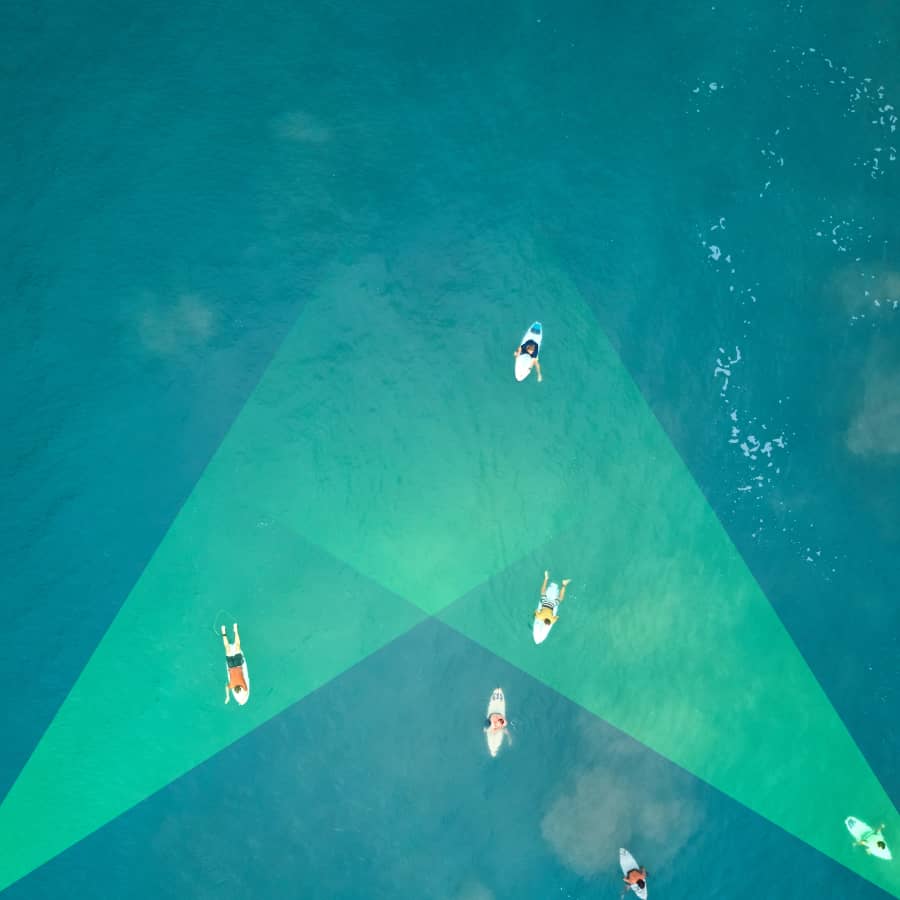
Connect multiple iPhones to the beach to capture the waves from different angles.

Friends can join the same camera and record their own rides

Made for Surfers, by Surfers.

S

R

E

F

R

U

S

Y

B

,

S

R

E

F

R

U

S

R

O

F

E

D

A

M

Because surfing your heart out is easy. Filming it? Not so much.

Surfers can’t reliably capture their rides unless someone’s on the beach filming them. Action cameras don’t show you from the side, and public surf cams aren’t available at most spots.


So I kept thinking: what if a phone was enough? Modern phones have great zoom, solid optics, and they’re always with you.

I’ve spent 17+ years in IT and marketing and founded a computer vision company. And I’m also a surfer. So combining surf and technology felt like a natural idea to explore.


That’s how Surflens started.

Let’s build the future of surf filming together.

Serge Gale

CEO / Founder

Meet our team

Join the Surflens Tribe

Surflens is a global community of wave chasers. We’re looking for passionate surfers to help shape the future of surf filmmaking. If you like our vision, contact us and get the information about our ambassador program.

Join Us

FAQ

Discover the answers to the most frequently asked questions.

Does this replace a filmer?

How does it work?

Why use a watch? Can’t I just leave a camera on the beach?

How do I connect LTE Watch or a regular Watch with a second iPhone?

How do I know the camera sees me?

Why does recording sometimes start with a delay?

What if the connection drops or internet is weak?

How do I get my videos after the session?

Is it safe to leave my phone on the beach?

Does it work with Apple Watch without LTE?

Do I need a server or internet?

Is there an Android version coming?

How do I become a Surflens ambassador?

Download Surflens now

Download Surflens and start auto-recording your waves.

© Surflens, 2026. Ride smarter. Learn faster.

Follow us to stay updated

BETA

MENU

AI-powered surf camera in your iPhone that shoots, tracks and helps you to ride better

Download Surflens and start auto-recording your waves.

S

R

E

F

R

U

S

Y

B

,

S

R

E

F

R

U

S

R

O

F

E

D

A

M

Made for Surfers,

by Surfers.

Catch your wave. Surfens catch you.

The Surflens app turns a phone on the beach into an intelligent surf camera. The result is hands-free, ready-to-share clips of your waves.

How It Works

Your camera on the shore. Your control on the wave.

Watch the video

Smart auto-filming for every wave.

Ready-to-share surf clips.

Your waves are automatically saved to your profile. Clips are processed instantly — enhanced, cropped, and ready to share. No internet required.

Surflens starts a record when a surfer catches a wave

The camera zooms in and keeps you in the frame

Surflens automatically crops your video into a ready-to-share clip

See Surflens in action

1

AI Auto-Filming Mode

AI detects when surfers catch a wave and automatically records the ride.

Set your phone on the beach and the AI-powered camera will detect and record every surfer riding a wave within its view.

ⓘ Before going into the water, make sure your phone is safe on the shore and someone is looking after it.

2

+ Apple Watch LTE

Need more control? Add your LTE watch on the wave.

Control the camera right from your wrist and see exactly where the lens is pointing. Apple Watch users get priority when recording waves.

Watch interface
Camera+IPhone+Watch

3

+ Apple Watch + 2nd iPhone

No LTE? Use the 2nd iPhone on the water for the connection

Just take a second iPhone in a waterproof case — it connects seamlessly and keeps your watch linked to the shore camera.

Apple Watch App

Designed for surfers

in the water

Stay in the frame. See your previous starts.

Just catch a wave to start auto-recording or scroll the Digital Crown to record manually

Stay in control on your wrist

Designed for Water

Lock mode

Analyze your takeoff position on the wave

Optimized for

Battery Life

Multi-Camera &

Shared Sessions

Surflens allows surfers to create multi-angle footage and add friends to the current session.
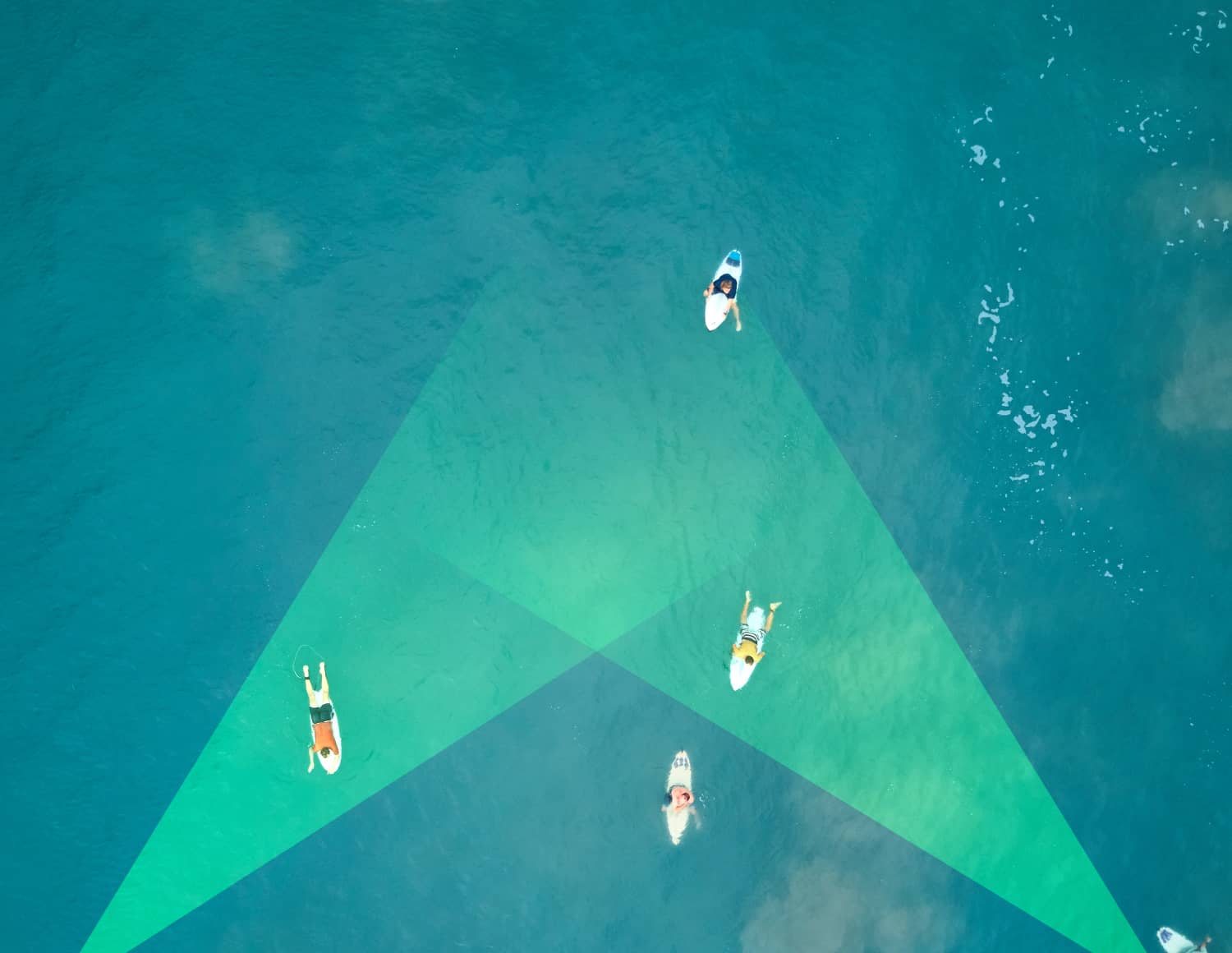
Connect multiple iPhones to the beach to capture the waves from different angles.
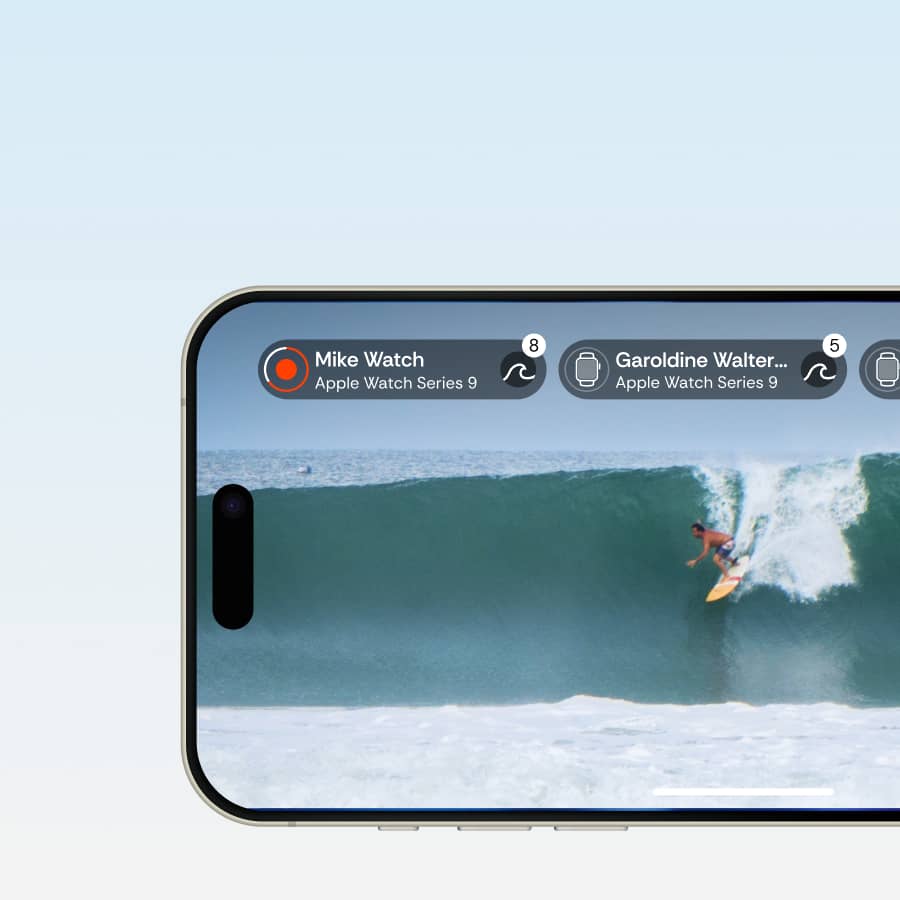
Friends can join the same camera and record their own rides

Made for Surfers, by Surfers.

S

R

E

F

R

U

S

Y

B

,

S

R

E

F

R

U

S

R

O

F

E

D

A

M

Because surfing your heart out is easy. Filming it? Not so much.

Surfers can’t reliably capture their rides unless someone’s on the beach filming them. Action cameras don’t show you from the side, and public surf cams aren’t available at most spots.


So I kept thinking: what if a phone was enough? Modern phones have great zoom, solid optics, and they’re always with you.

I’ve spent 17+ years in IT and marketing and founded a computer vision company. And I’m also a surfer. So combining surf and technology felt like a natural idea to explore.


That’s how Surflens started.

Let’s build the future of surf filming together.

Serge Gale

CEO / Founder

Meet our team

Join the Surflens Tribe

Surflens is a global community of wave chasers. We’re looking for passionate surfers to help shape the future of surf filmmaking. If you like our vision, contact us and get the information about our ambassador program.

Join Us

FAQ

Discover the answers to the most frequently asked questions.

Does this replace a filmer?

How does it work?

Why use a watch? Can’t I just leave a camera on the beach?

How do I connect LTE Watch or a regular Watch with a second iPhone?

How do I know the camera sees me?

Why does recording sometimes start with a delay?

What if the connection drops or internet is weak?

How do I get my videos after the session?

Is it safe to leave my phone on the beach?

Does it work with Apple Watch without LTE?

Do I need a server or internet?

Is there an Android version coming?

How do I become a Surflens ambassador?
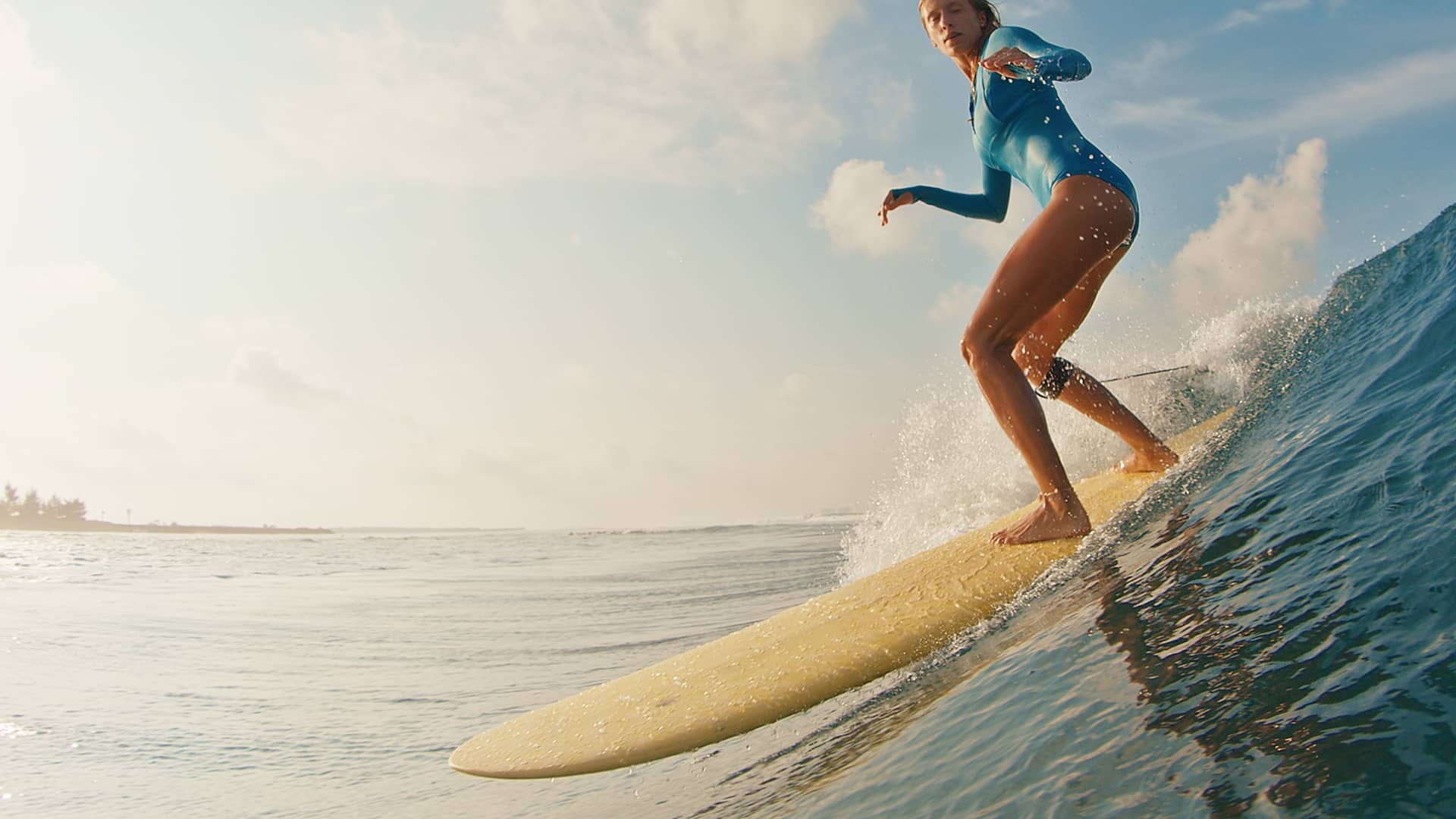
Download Surflens now

Download Surflens and start auto-recording your waves.

© Surflens, 2026. Ride smarter. Learn faster.

Follow us to stay updated